When I am designing in Tinkercad, I mainly design using millimeters (mm), because most of the time I am using a .04 mm nozzle on my 3D Printer. If I want to make a cover for something, like my Alexa Device, I will measure it in millimeters.
I made this ruler in Tinkercad so it would be easier to measure items in millimeters.
First, I can place the ruler on top of an object and see the object through the ruler.
Second, I can place an object on top of the ruler and against the left side and get a measurement.
I printed three rulers in different colors, because every time I changed the filament in the printer for another project, I used the ruler to make sure the printer was calibrated correctly. If I got a good print on the ruler, there was a high chance that the next print would come out good.
The ruler is available for copying and tinkering in Tinkercad.
A funny, not so funny thing happened to me today. Most of the posts I make to Facebook are reserved for Friends and Family, but I linked my “Identifying Scams” blog post on Facebook and made it public because knowledge is the best key to preventing scams. Someone actual commented on it. ”Yay!” They want to be my friend because they are lonely. “Boo!”
Do not! Do not! Do not! Fall for this! Yes, it could be a lonely guy. It is probably a scam. There are two main scam reasons this person wants to be my friend.
1) To get access to my profile and friends list so he can scam my friends.
2) Sextortion – Scammers will spend a long time becoming your friend, and once you are comfortable being their friend, they ask you to send them a picture either naughty or nice. Don’t send pictures! They will try to extort money from you. They will threaten you, your friends, and your family if refuse to pay.
This comment is a clear example how sextortion can start.
I blocked out their picture to protect the real person, just in case the real person’s Facebook page was stolen. I did check out their Facebook profile. Friends “No Following to show.” Posts to their page, only went back for 5 days.
What actions did I take? I hid their response to my post and blocked them. Facebook really wants to make sure that you really want to block someone.
Today, I commented on an article that showed up on my Facebook feed, and someone commented back wanting to be my friend.
Well at least this person didn’t comment on my post about “Identifying Scams.” Their Facebook page only went back 2 days. Their friends also had “No Following to show.” When I did an image search for their pictures, it was a little creepy. There were so many people that resemble this person.
I hid their comment and blocked them too. People who put that many emojis in a comment, deserves to be blocked.
Protect yourself, protect your kids, protect your parents, against this type of scam. I know there are a lot of very lonely people in the world, but there are better ways to make friends. People engage in sextortion are some of the worst types of scammers in the world.
It seems like there are a billion scammers out there trying to get my personal information or steal my hard-earned money. They already have a few of my email addresses, and one of my former physical addresses appears on a list. There are not a billion scammers, I hope; there are just enough of them to send out 100’s billions of spam emails, texts, and messages every single day.
Recently, I have been watching some scam-baiting videos. Scam baiters pose as victims in an attempt to waste the time and resources of scammers. Some scam baiters even hack the scammers’ operations in an attempt to warn potential victims before they get scammed. The idea is that if the scammer is busy trying to get money from the scam baiter, they are not engaged in scamming other potential victims. Here are a few things I have learned from watching these videos:
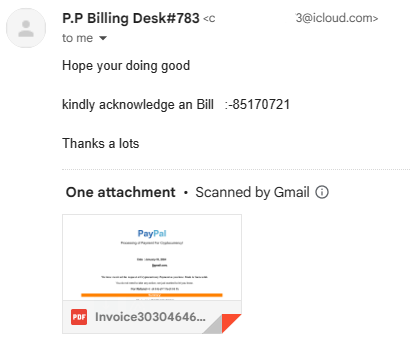
Kindly: The use of the word “kindly” in email, text, and messages. Example: Kindly click the link to start the process. Below is an email I got from a scammer. First, it came from someone I never did business with. Second, note they used “kindly’. Third, no punctuation. Fourth, it came from an icloud.com account and not a business account like amazon.com.
Gmail provided a preview what was in the document. I did not open the document, even though Google said they scanned it for malware. After zooming in by 300% I could see what the scammer claimed I purchased. It was Bitcoins. I reported the scammer to Apple by forwarding the email to reportphishing@apple.com.
Bitcoins and Gift Cards: If a Help Desk Support personnel or another business wants you to pay them in Bitcoins or Gift Cards, it is probably a scam. If you are dealing with a legitimate business, they are not going to ask you to pay them in gift cards.
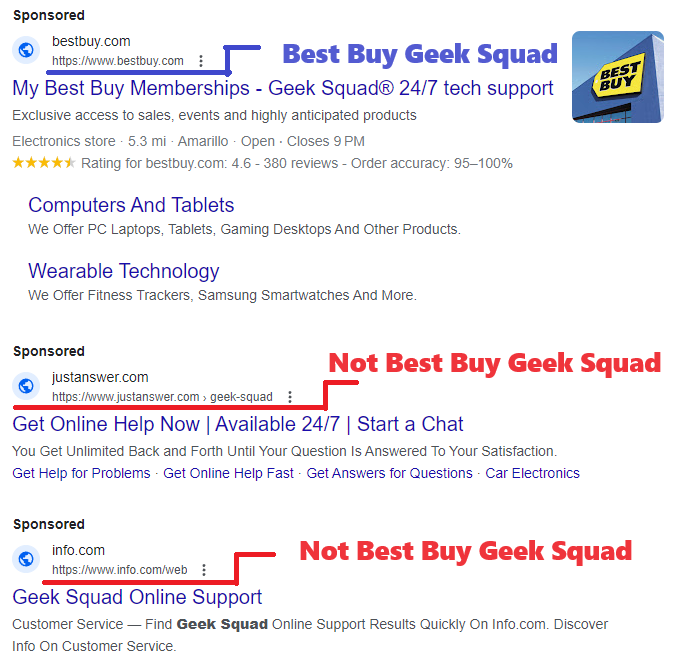
Sponsored Links: Google and Bing are proactive in shutting down scammers, but the scammers are creating fake webpages and are purchasing fake ads faster than these companies can shut them down. Yes, scammer buy ads just like legitimate companies. If I search for “Geek Squad” I will see Sponsored on Google and Ads on Bing. Both return several links that were not Best Buy’s Geek Squad. These non-geek squad links maybe legitimate companies, or they could be scammers.
Mailing Cash: If you are being asked to send a large amount of cash through the mail and are provided instructions on how to hide the cash inside books or other items, it is probably a scam. United States Postal Service and UPS both allows you to send cash as long as it is not for illegal purposes. There are scam warnings all over their websites about sending cash in the mail. FedEx does not accept any form of currency. If you are told to hide the currency, it is probably a scam.
Your Bank Calls: Scammers will ask you for the name of your bank and the bank’s phone number on the back of your card. Why, so their fellow scammer can spoof your bank’s phone number to call you pretending to be your bank. Once you are comfortable with talking with the fake scammer’s bank, they well attempt to get as much information about your bank account as possible; name, account number, passcode, PIN number and password. If this was a legitimate call from your bank or credit card company, they do not need your account information because they would already be looking at it.
Checks: It is very easy to forge checks. The scammer will make out a fake check for an amount that is greater than the cost of the item. Then they will ask you to refund the money over the cost of the item. This is all done before you learn that you were given a fake check. Now they have the item and the money. If you are selling your car for $20,000 and they give you a check for $25,000, BEWARE!
Encouraging You: You are on the phone talking with someone who claims you won $1 million. To claim this money, you need pay the lawyer fees of only $500. They are claim these fees can be pay by gift cards, bitcoins, or an online transaction like Venmo and they are willing to walk you through the entire process. If you receive another call or text, they will tell you not to answer the call or read the text, because your phone has been hacked and it is scammers trying to contact you. They will tell you not to talk with anyone, not the store manager, not the bank teller, not a family member. They will not let you off the phone until the money is transferred to them. They will tell you if someone ask what you are doing lie to them and tell them you are trying to help a friend or family member.
Job Opportunity: Scammer will pose as recruiting managers to obtain your personal information or to get money. If recruiter ask you for money, WARNING! it may be a potential scammer. If a recruiter contacts you, check out the company they claim to work for or the company they claim to represent. A scammer will create their own webpage just to scam as many people as possible. If a recruiter contacts you, and claim they work for Big Tech Industries, and give you the URL of iBigTechInd.com but you search the web and find the URL for Big Tech Industries is BigTechInd.com another warning sign of a potential scammer.
Scammers also recruit individuals to receive money, asking them to send it to someone else or convert the funds into Bitcoin or Gift Cards. Unfortunately, these victims unwittingly become Money Mules. Engaging in such activities is illegal, and participation could lead to imprisonment.
Web Pages: Scammers create deceptive web pages with the sole intention of defrauding as many people as possible. Frequently, they steal pages from legitimate companies and replicate them for their malicious purposes. If you encounter broken links on a company’s website or forms that cannot be submitted, it may be an indication that the website is fake
Image Search: Google’s and Microsoft’s image search is a great tool for identifying scammers. If you are suspicious of a website, do an image search to see how many websites uses the same pictures. Is the CEO’s picture just a stock photo, or does it appear on another website? Is the image of that puppy which is for sale, or the image of the dog that is in dire need for help, located on multiple websites? Probably a scam.
Pictures: Never send your pictures, whether naughty or nice, to someone you’ve met online. Extortionists often invest time in building a connection, pretending to be your friend, before requesting a photo. If you send a compromising picture, they may use it for blackmail. Even if you send a harmless photo, they might manipulate it by placing your head on a compromising image and then use it for extortion. If someone gets upset because you refuse to share a picture, remember that they are not your true friend.
Junk Mail: Currently, one of my email addresses Junk Mailbox has over 1400 emails. Yes, some of them are legitimate, but over half of them are scams. Some of the email claims I purchased something and want me to call them to get a refund. Some actually has threaten to wipe my device if I do not pay them in Bitcoins. Here are a few ways, I easily identify scam emails:
Flagged as Important – thank you scammers – you have made it easy for me to identify your emails and report them as phishing.
Memberships I Never Had - Scammer like to send emails for streaming services I never had.
Wrong Email Address – I have multiple email addresses. One for each aspect of my life; Business, Bills, Financial, Shopping, Friends and Family… each has its own. So, if I get an email from Amazon and it came to the wrong email address. It’s probably a scam.
Emails not containing the companies URL. Why would Lowes hire extradegree.co to send out emails for them? They would not!
Emails not addressing me by my name. They are using part of my email address. Or, emails address to the wrong person.
Most of these tips came from watching Pleasant Green’s YouTube channel. He has numerous videos on exposing scammers. Check out his videos. If you would rather read about scams, there are links throughout this post about identifying scams.
Like the scam baiter say, “Being knowledgeable is the best defense against scams.”
This tutorial, Creating a Snowflake Using Tinkercad, focuses on using a Star shape to create a snowflake and using other shapes to put holes in the star.
I got the inspiration seeing an office that was decorated with paper snowflakes. Each one was unique because they were created by hand. If you are interested in learning how to create a paper snowflake, check out CYNICALifornia’s Paper Snowflake instructions. The first thing I did was create a paper snowflake.
The next step was creating one in Tinkercad. But I did not stop at one, I created seven snowflakes.
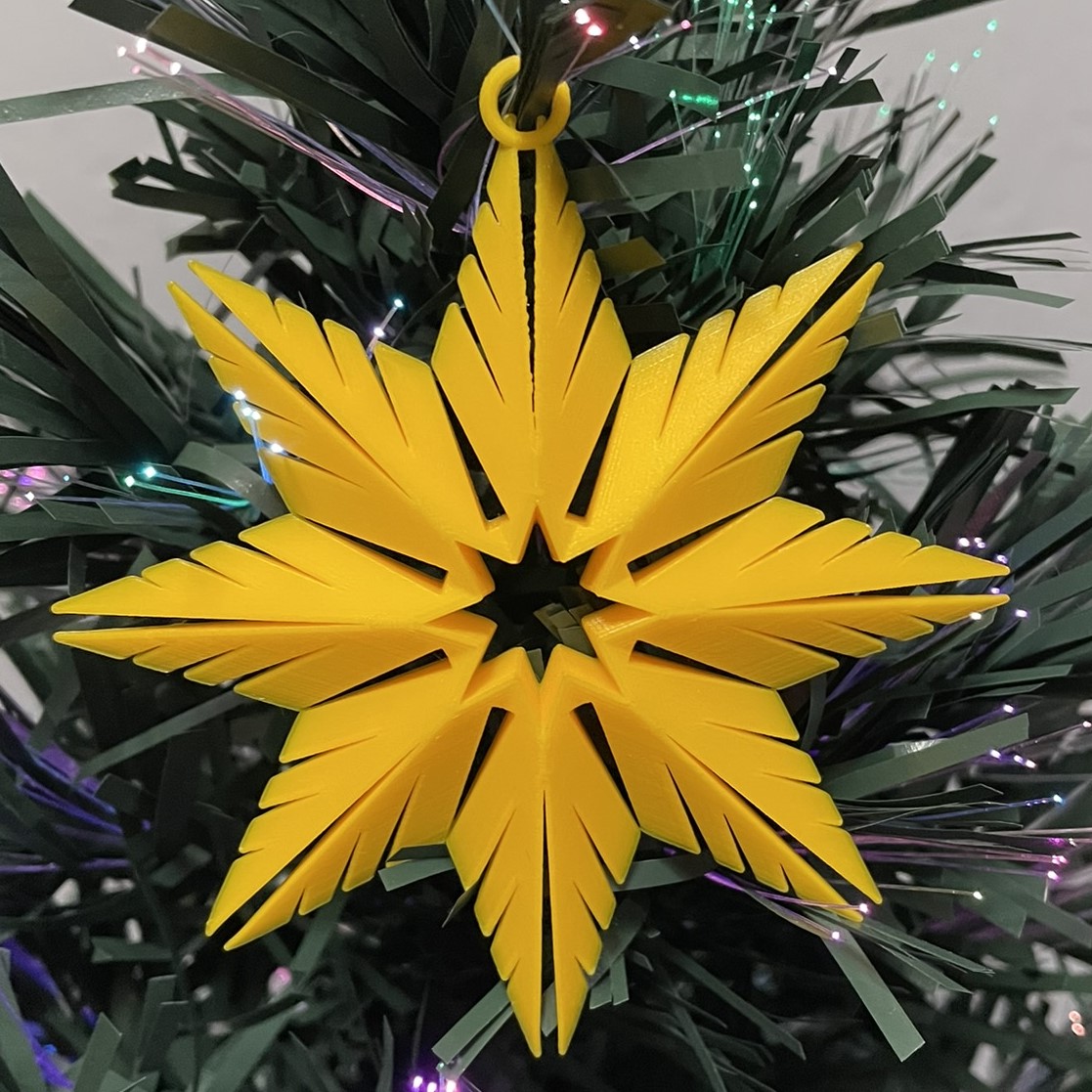
Below is the first one I created. It uses the only the Star shape and the Roof Shape. Even the back looks good.
This is the link (Snowflakes) to the seven snowflakes I created in Tinkercad. I encourage you to copy the design and deconstruct the snowflakes to see how they were designed. Then create your own snowflake using the tutorial and information you learned by viewing my design.
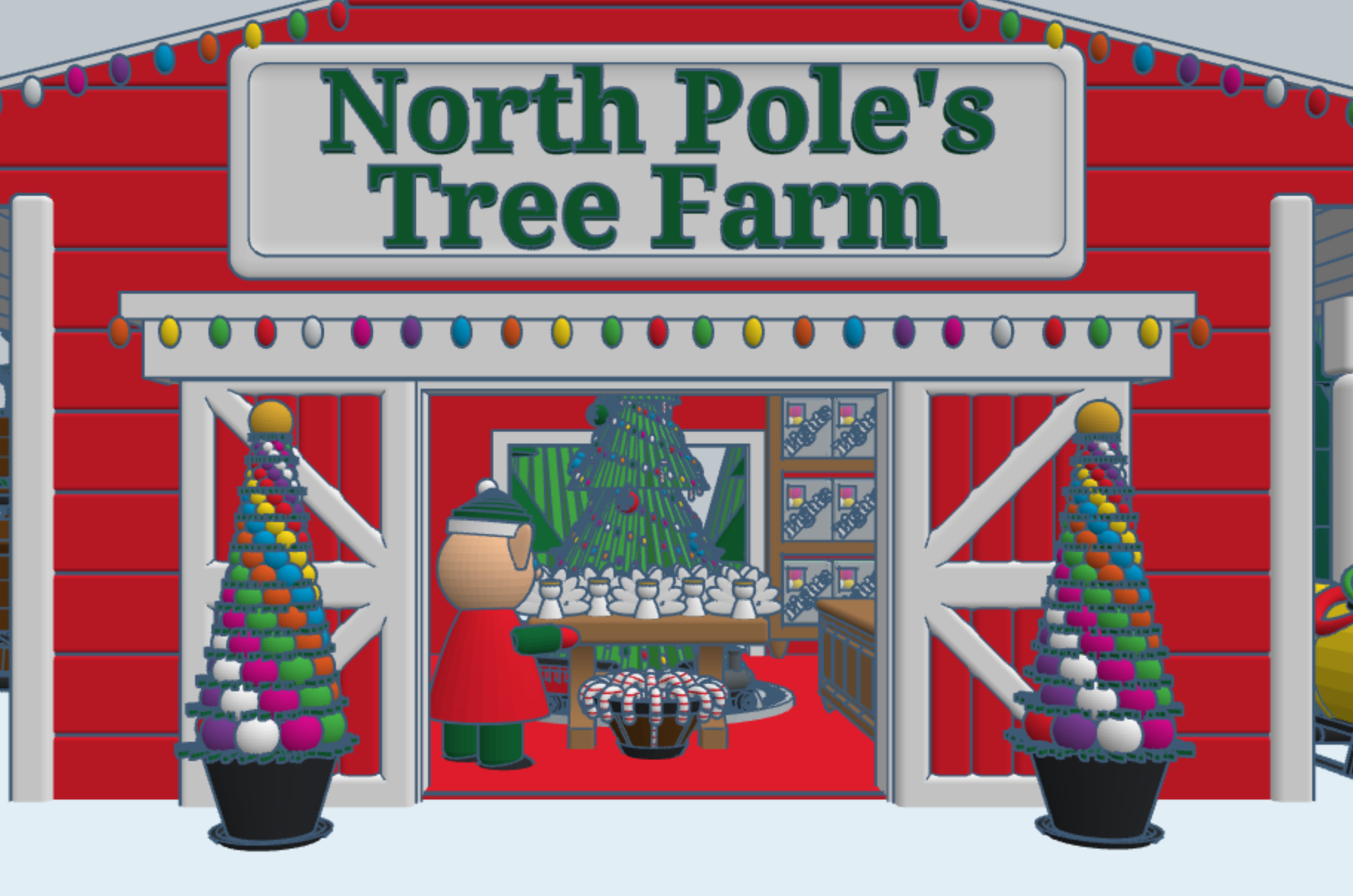
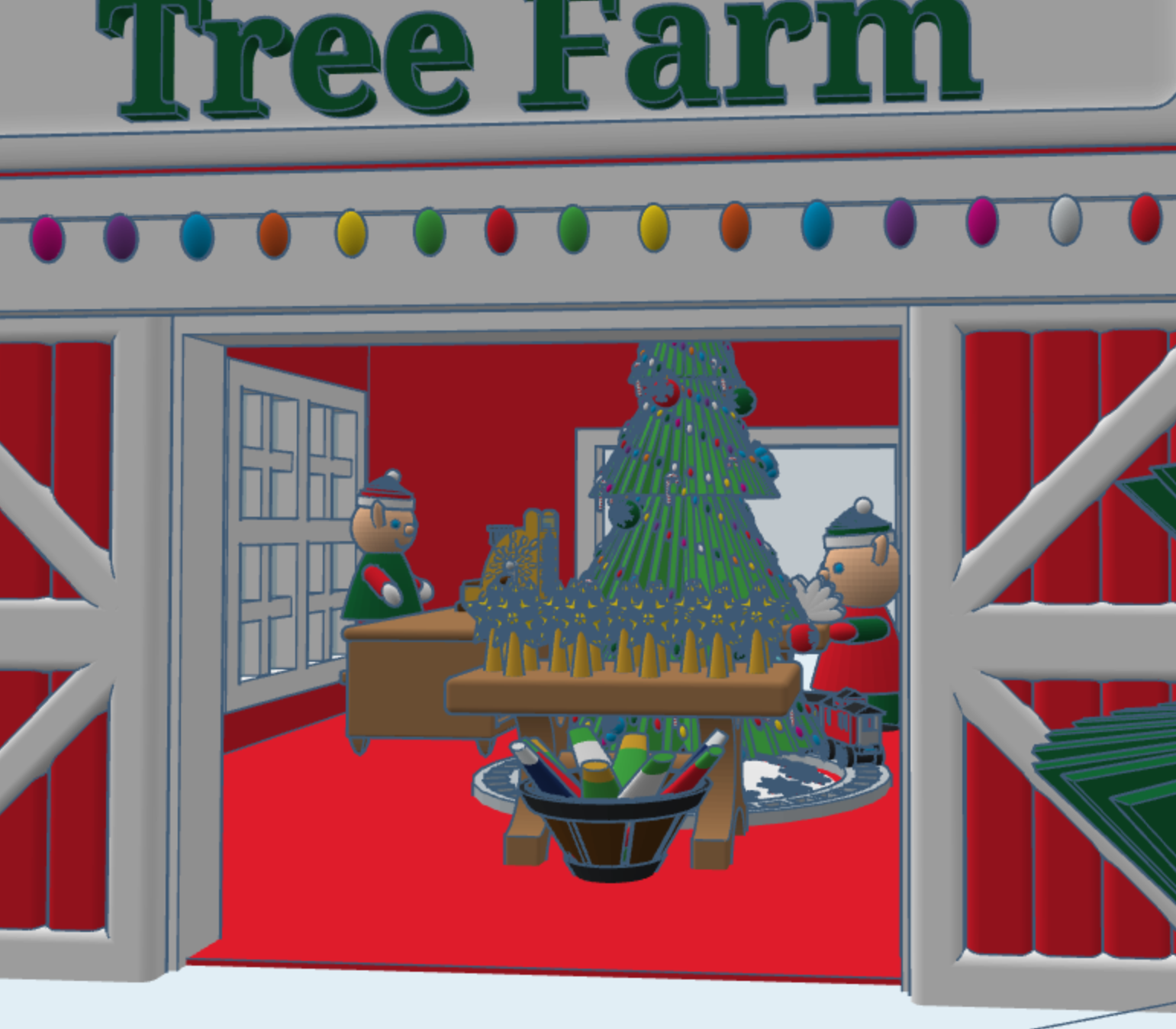
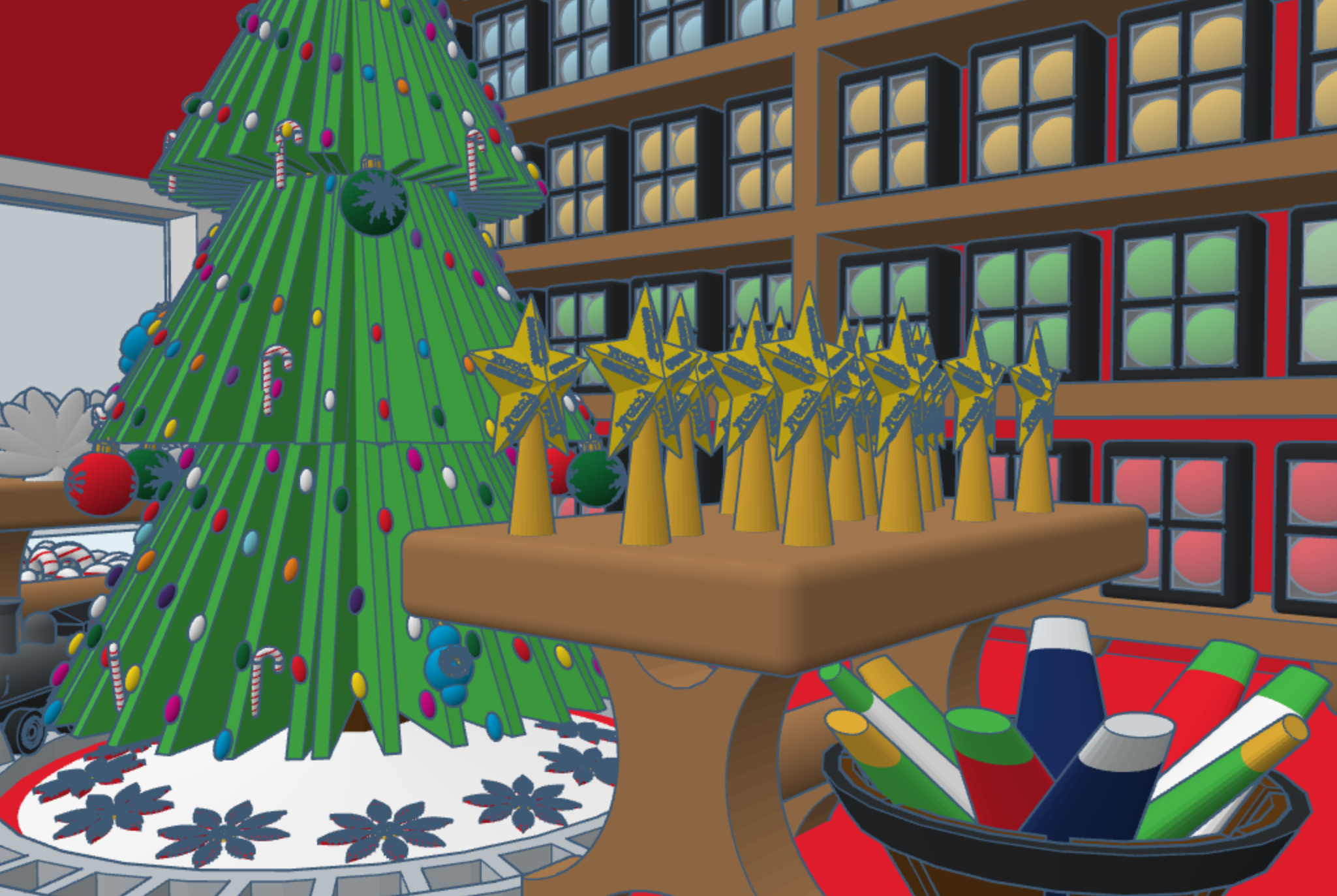
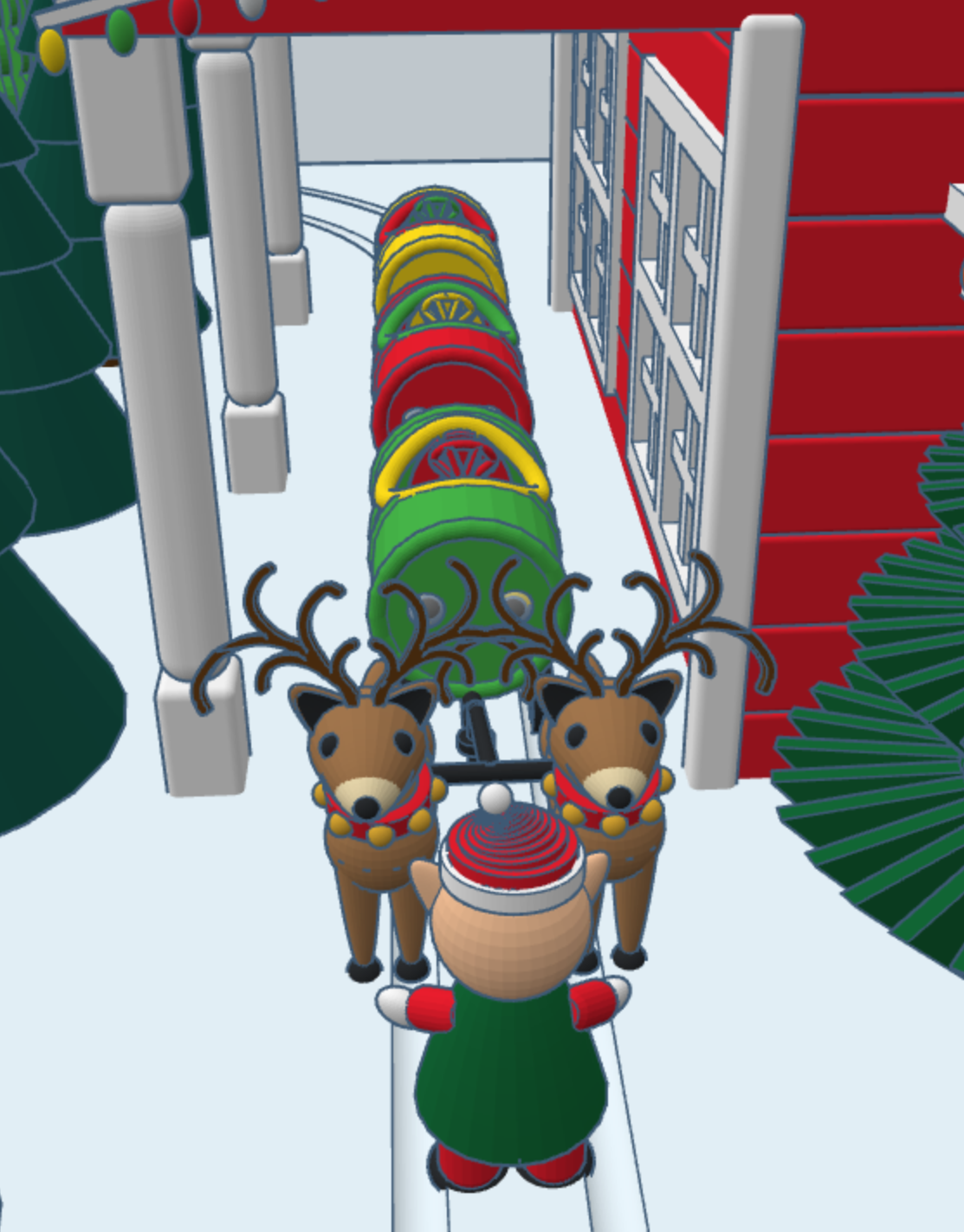
This year, for Christmas, I decided to design a North Pole Christmas Tree Farm in Tinkercad, with a barrel train to take visitors around the farm. I placed the shop inside the barn, I guess some of the reindeer gave up their lodging for the season. The shop sells tree decorations. You can copy this design and add your own objects to Tree Farms.
The barrel train was created in a different design. One train set has skids for use on snow, and another train set has wheels for use on the ground. You can copy the train, but you will have to design your own form of propulsion.
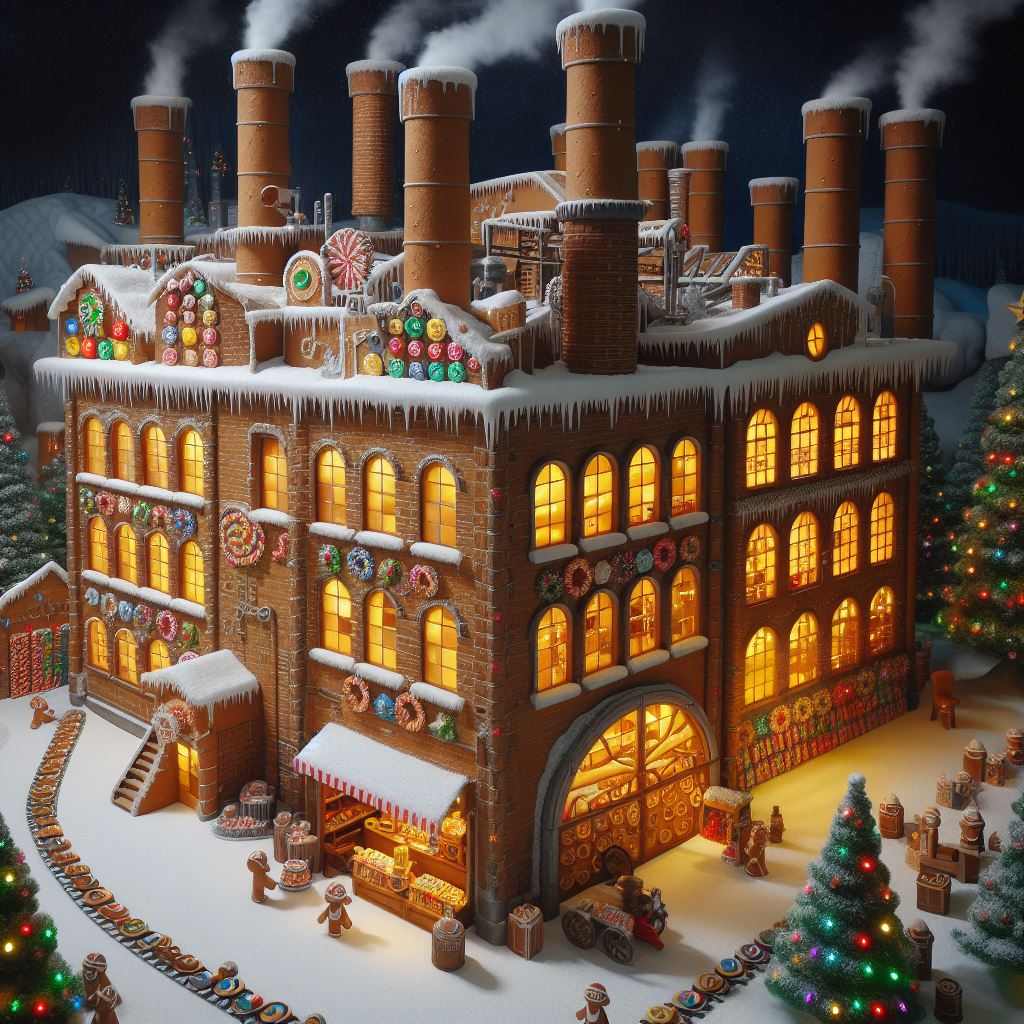
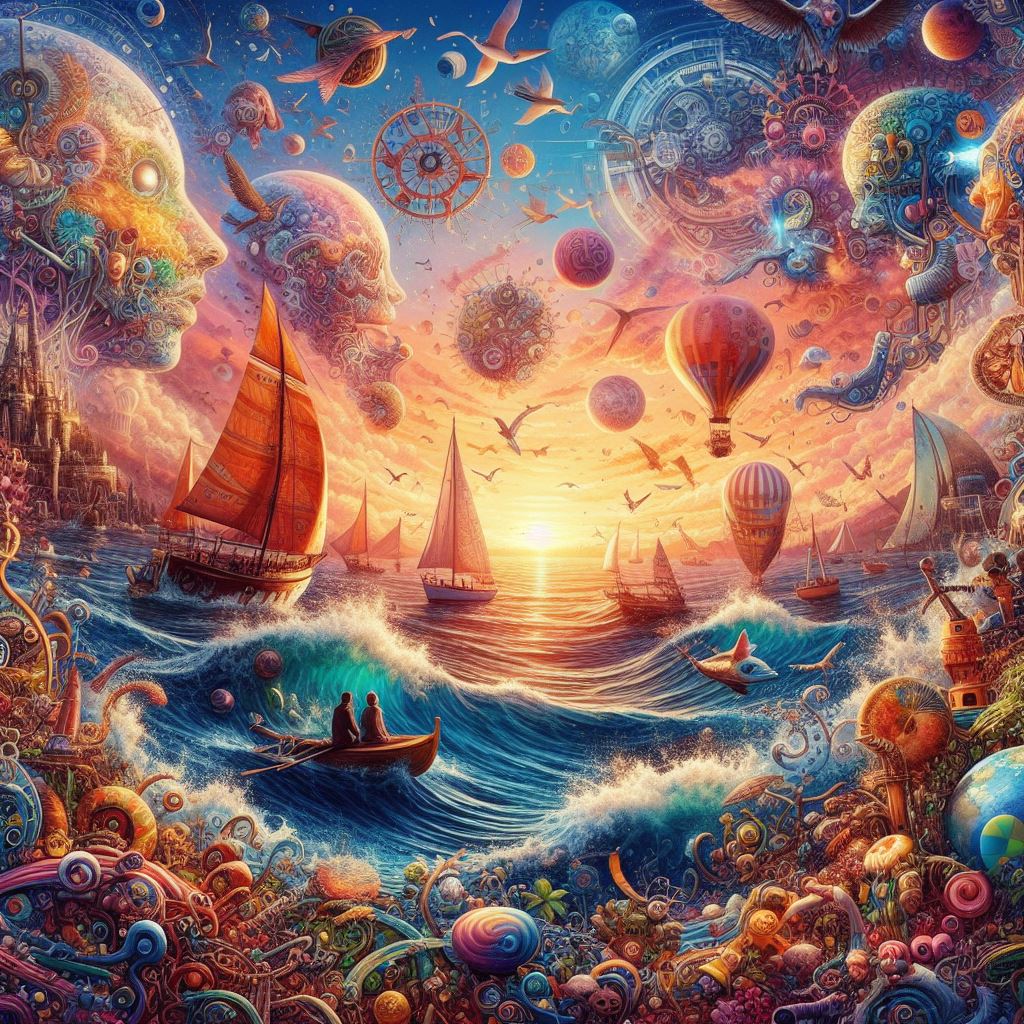
Over the past few weeks, I have been creating pictures with Microsoft Bing Image Creator. It’s AI created some wonder images. It works by describing the picture you want to see, and the AI creates the picture.
One prompt I used was: “candy manufacturing plant made of gingerbread located in the north pole that is run by Santa’s elves”. Below are the images the AI returned.
To use Bing Image Creator, you must have a Microsoft account. If you are a new user, Microsoft will provide you with 15 boosts. My Microsoft account is many years old, and I was provided 80 boosts.
In the prompt field you type a description of the picture you would like to see, then you press the Create button. After a short period of time, the AI will show you four pictures it created. You then have the option to download the pictures or rework the description. Each time you submit a description, it will use one of the boosts.
Below are more descriptions I used and the pictures the AI created.
Description: a nativity scene with Mary, Joseph, and baby Jesus in a manger with the Bethlehem Star shining down on the stable. In the background show choir of angels in the background.
Description: The garden with variety of trees and flowers. The garden features a fountain sculpted from white marble, resembling an open flower. Within the fountain, 40 water sprouts shoot up into the air, cascading back down like rain into the crystal-clear pool.
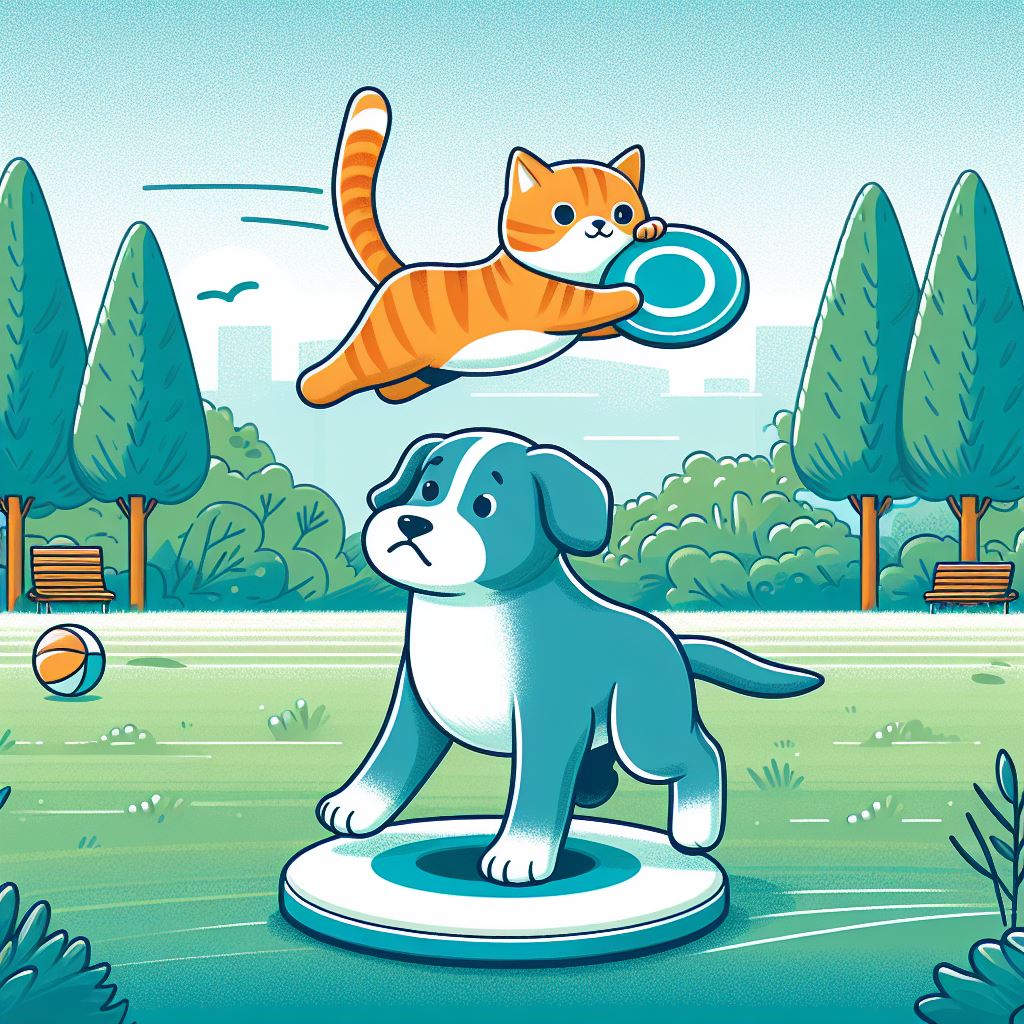
Description: A dog playing frisbee and cat riding on the frisbee. They are in a park which has a bluish green field surrounded by a variety of trees.
Description: Need a image that I can use to give credit to Microsoft Bing Image Creator for the wonder images the AI creates.
Microsoft only provides the image in a JPEG format and limits the size to 1024 x 1024 pixels. Which is good enough for posting on a Social Media platform or this blog.
There is no guarantee that you will get that same pictures every time you enter a same description multiple times. Nor, is it guarantee that someone else will not get the same picture created with a description you used.
I tried other AI picture generated programs like PIXLR and FOTOR. Both have more features than Microsoft’s Image Creator. FOTOR I ran out of boost before I finished my research. In the PIXLR Licensing Agreement, it states that no image can be used unless you have a subscription.
In my opinion, Microsoft Image Creator generated better pictures. In the other programs missed sometimes in what I was trying to create. For example, I asked for a yellow bird whispering in a dog ears. It returned a few examples, but one had a dog’s head on a bird’s body.
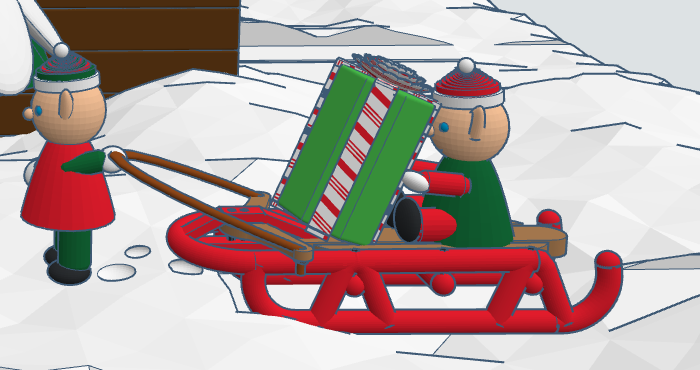
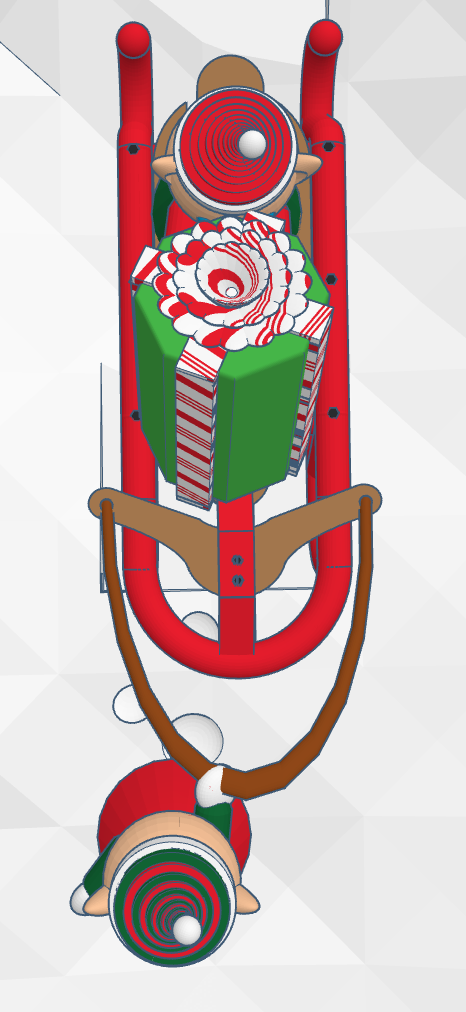
My Tinkercad design’s Santa Workshop can now be copied through Christmas. The 2023 changes to the design include a sled, a present, and elves pulling and riding the sled. Because the design is detailed, I decided to keep the changes minimal.
The sled can be seen in 3d or copied from this link: Red Sled
For the present, I wanted to give the ribbon and bow a candy cane pattern. I created a gradient Candy Cane gradient block. I can copy and used to give almost any design a candy cane coloring. Link: Candy Cane Gradient.
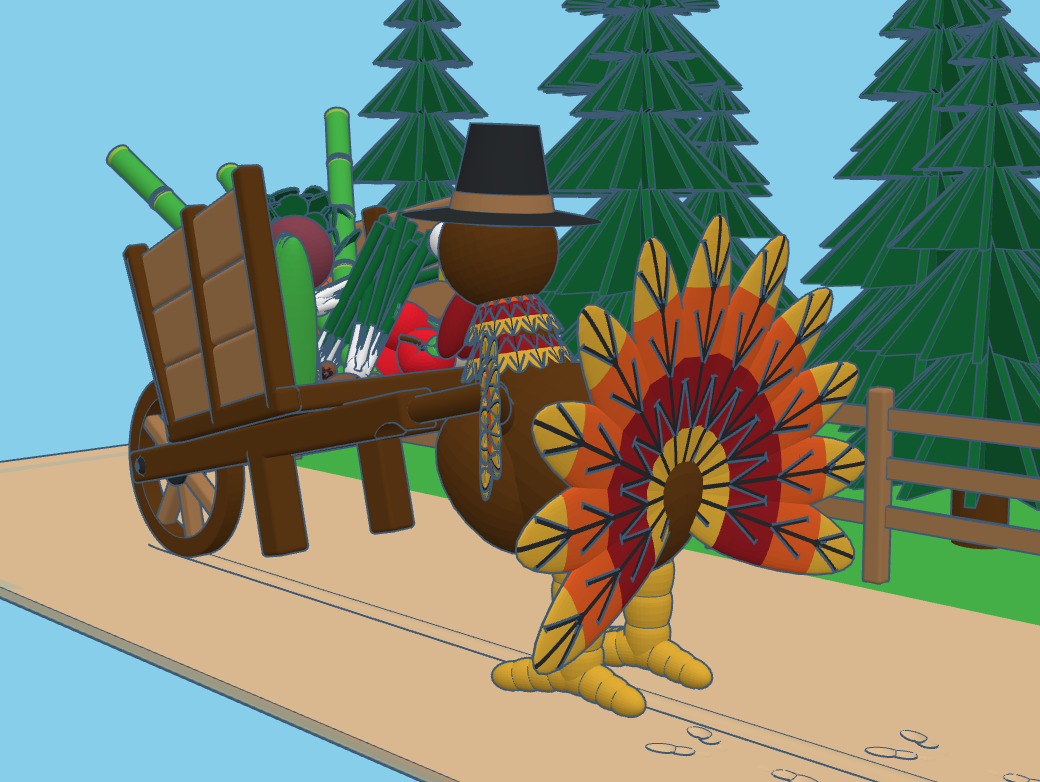
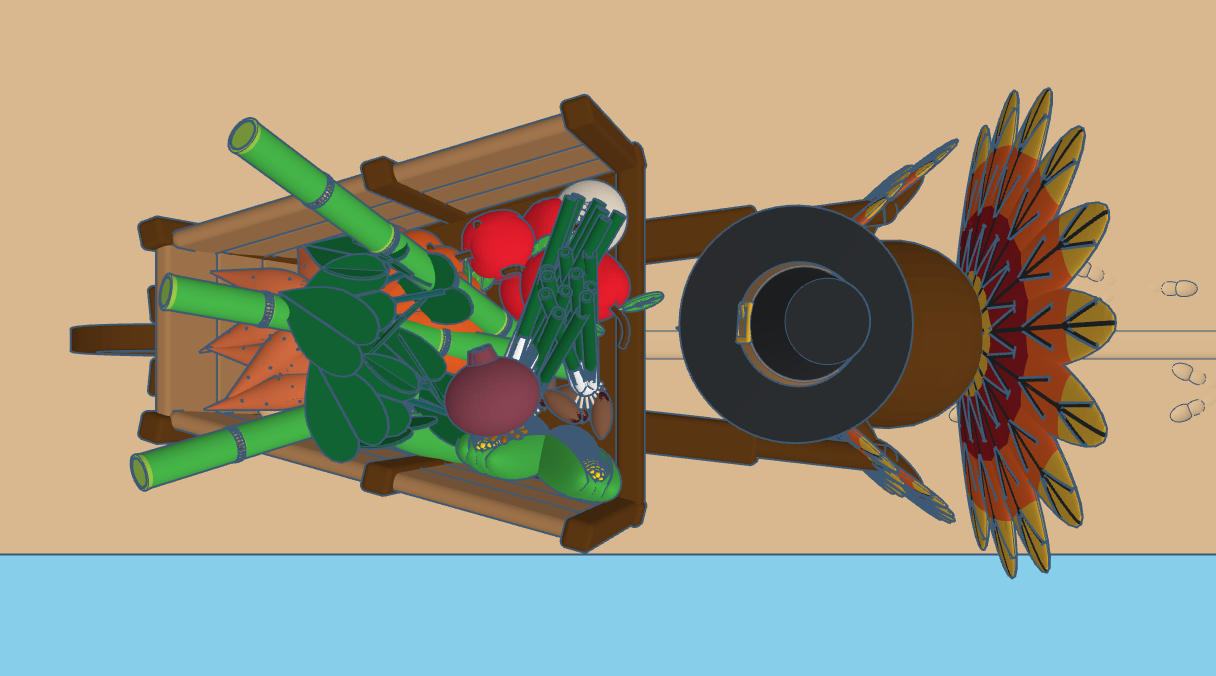
I turned around and boom it was Thanksgiving time. This year, I decided to make some designs in Tinkercad to celebrate the holiday. I stared with the wheelbarrow to fill with crops from the field. Next, I designed the turkey. It took the longest time. The feathers were not the problem, I couldn’t decide on how I wanted to create the neck and head.
Filling the cart with food was simple. All the food was created in separate design files and entire saved as a shape or copied into the Thanksgiving Harvest design file.
All these designs are available to copy. All I asked, if you use one of my designs, that you give me some type of credit for using the design. A shootout in the Designs Description is acceptable.
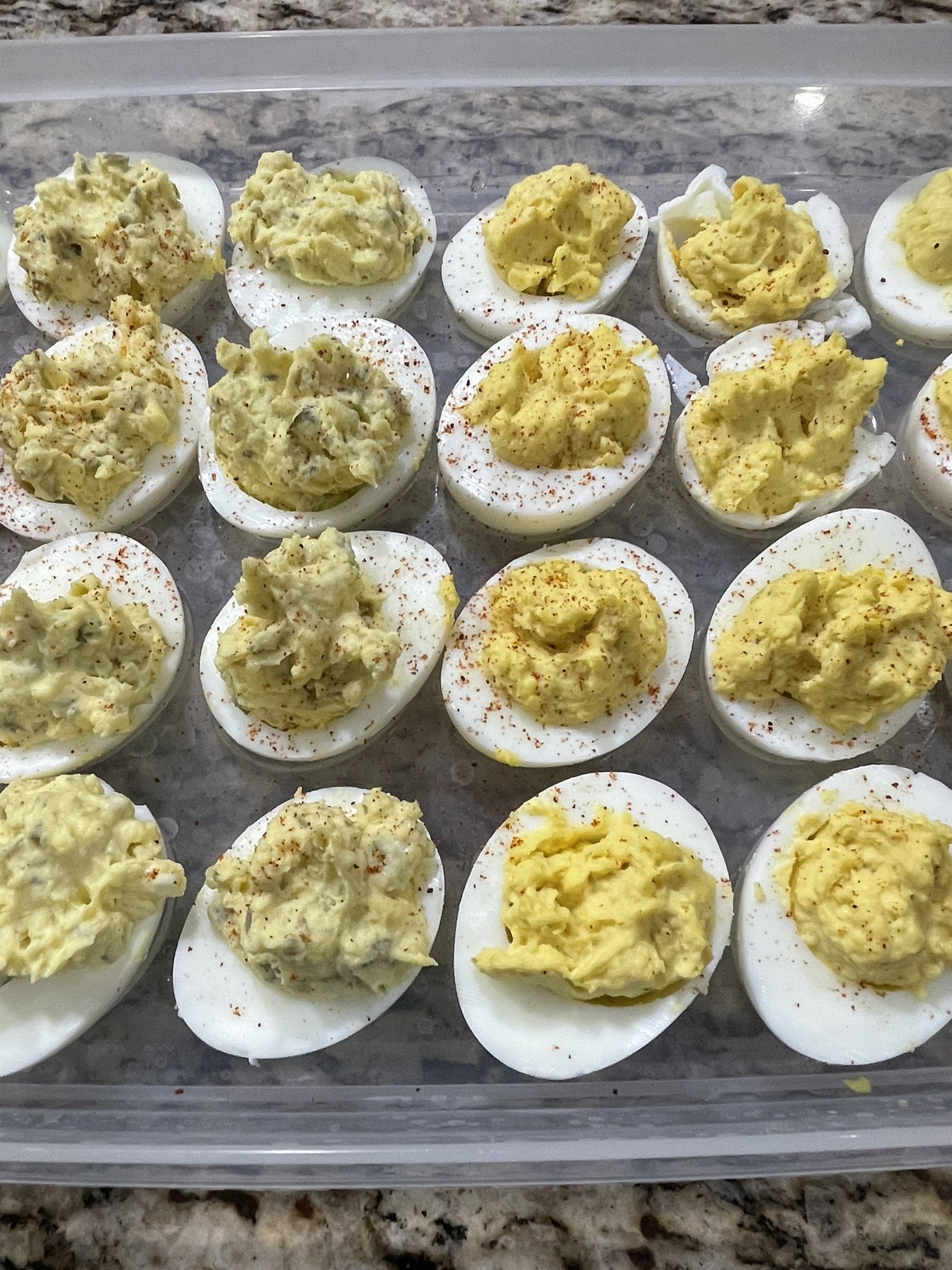
After October was spent making Fall and Halloween items in Tinkercad, I wanted to make a few items that had a Thanksgiving theme. So, I decided it was time again to get out that deviled egg platter and start making those delicious eggs again. Why are they called “deviled” eggs? Deviled is a term that means spicy. My deviled eggs are not too spicy, they are delicious. The recipe is below.
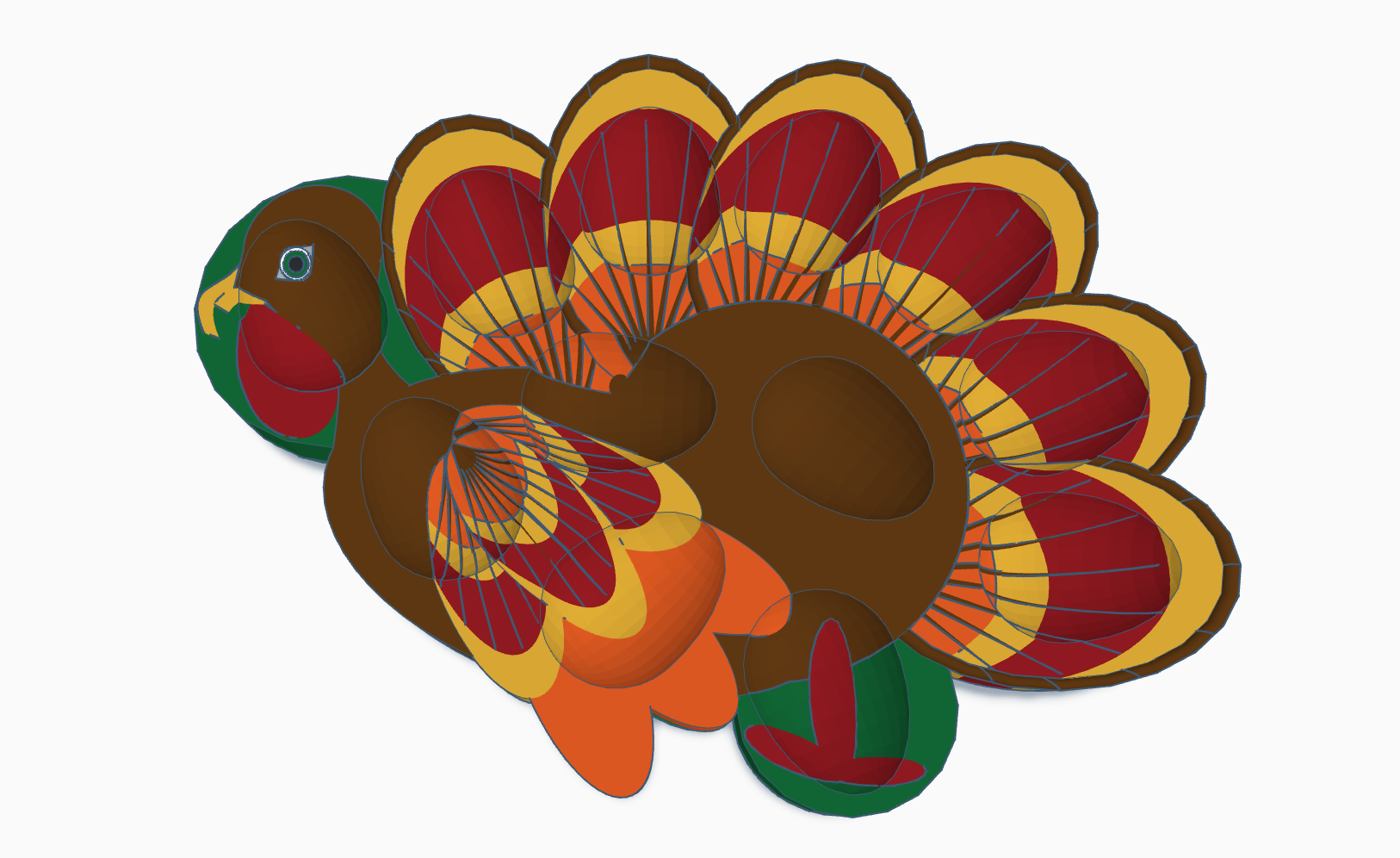
Using Tinkercad, I first had to make the deviled egg platter, then I had to make the eggs. The platter, since I wanted a Thanksgiving theme, I made it in the shape of a turkey.
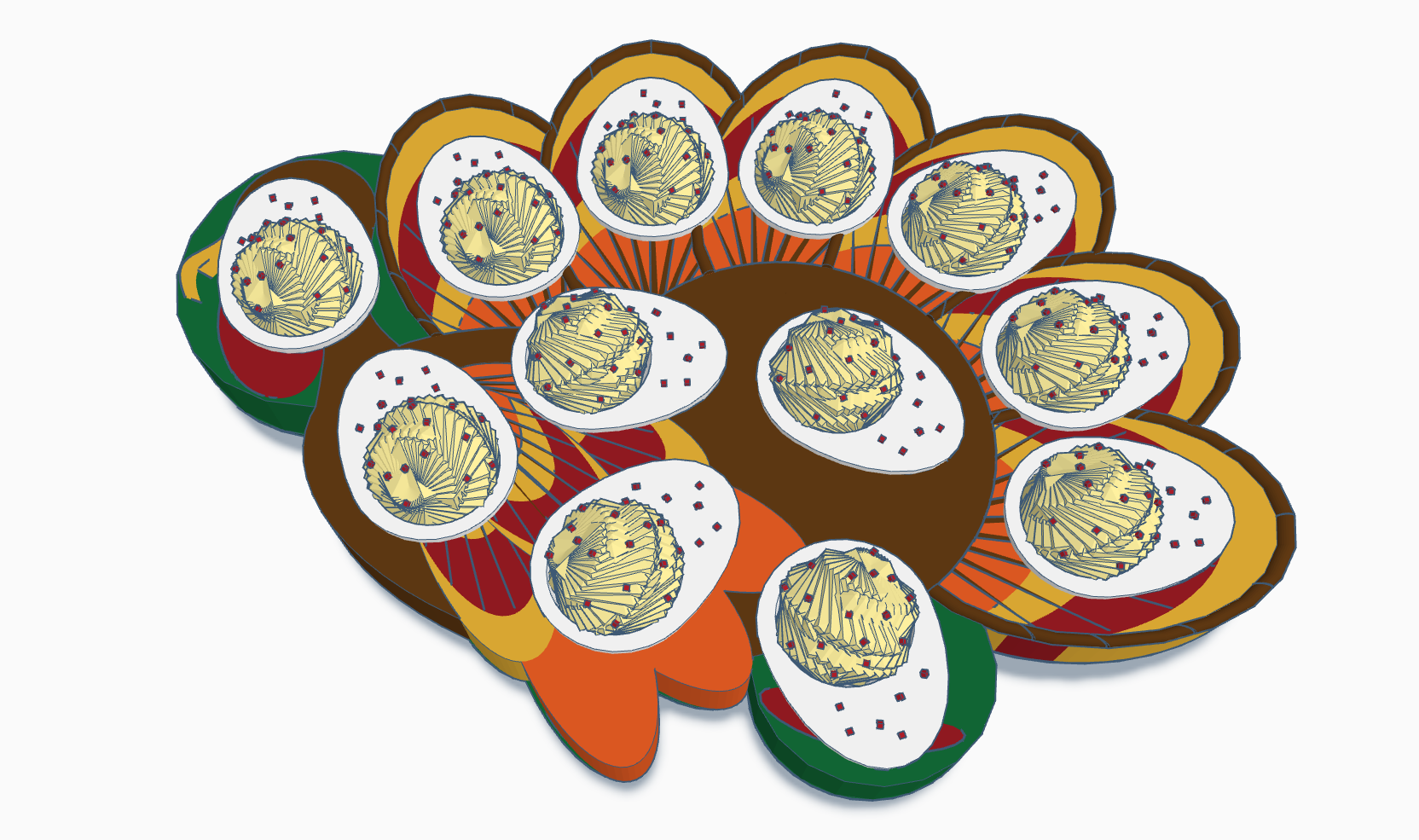
For the eggs, there is an egg shape in the shape’s library. I just cut it in half, made a hole and filled the hole. To create the filling, I used a sphere and set the steps to 3. Then I duplicated the sphere and rotated it by 6 degrees in all three directions and continue to duplicate the sphere until I got the shape I wanted.
The Platter:
The Eggs:
The Deviled Eggs I created in Tinkercad took me hours over a few days to create. If you want real deviled eggs, not virtual deviled eggs here is my recipe.
Hard-Boiled Eggs: Large, Extra Large or Jumbo Eggs
How many deviled eggs do you want to make? Count the number of spots on the platter and divided by two. Add an egg or two to the number, so you can “taste test” before serving.
Salt
Black Pepper
Dry Mustard/Ground Mustard: Not the mustard that comes in the yellow bottle, but the mustard that is on the spice rack.
Mayonnaise: You can use any mayonnaise, but if it is not Blue Plate mayonnaise, I cannot guarantee the quality of the deviled eggs.
Sweet Pickles: Do not use sweet pickle relish. Do not use name brand sweet pickles. The name brand puts added ingredients in their pickles which gives it a weird taste. Buy the store brand sweet pickles. Preferable the minis but the gherkins will work too.
Cayenne Pepper or Paprika:
Instructions:
Hard Boil the Eggs
Place the eggs in a pot and cover the eggs with cold water. Add a dash or two of salt.
Place pot with eggs on the stove over a high heat.
Bring the eggs to a rolling boil and let the eggs boil for 15 minutes.
Peel the shell from the eggs and set the eggs aside.
There are many ways to peel the eggs, but I prefer to drain all the hot water off the eggs and peel the eggs under running cold water. Yes, the eggs are hot to the touch. If you prefer not to handle hot eggs, search the internet for other methods.
Cut the eggs in half lengthwise and remove the egg yolks and place in a mixing bowl. Most of the time, by pressing gently on the back of the egg, the eggs yolk will easily slip out. Lay the egg whites on the egg dish.
Use a fork to break up the egg yolks until there are not any large lumps.
Add a dash of salt, a couple of dashes of black pepper, and 1/4 of a teaspoon of dry mustard for every 6 whole eggs (12 halves) to the egg yolks.
Stir all the ingredients together until they are mixed well.
Finely chopped 2 mini or 6 gherkins sweet pickles (for every 6 whole eggs) and stir into the egg yolk mixture.
Stir in one heaping tablespoon of mayonnaise into the egg yolk mixture. Keep stirring in additional mayonnaise, one tablespoon at a time, until the egg yolk mixture appears creamy.
Spoon a heaping teaspoon of egg yolk mixture into hole of the egg white, attempting to distribute mixture evenly between eggs.
Sprinkle a fine mist of Cayenne Pepper or Paprika over the filled eggs.
Cover and refrigerate. Don’t forget to taste test the extra eggs you made. They are good warm or cold.
If there is a member of you household that does not want sweet pickles in the deviled eggs and would prefer mustard eggs. Leave the sweet pickles out of the recipe and add a couple of squirts of the mustard that comes in that yellow bottle instead.
I decided to use some of the other features in Tinkercad for the last 11 days of Tinktober. For all the designs I used Tinkercad Codeblocks, except for Trick or Treat and Fall Leaves designs. Codeblocks allows users to program shapes to create a design. After the design is completed in Codeblocks, users can save the design as a shape and use it in Tinkercad 3D
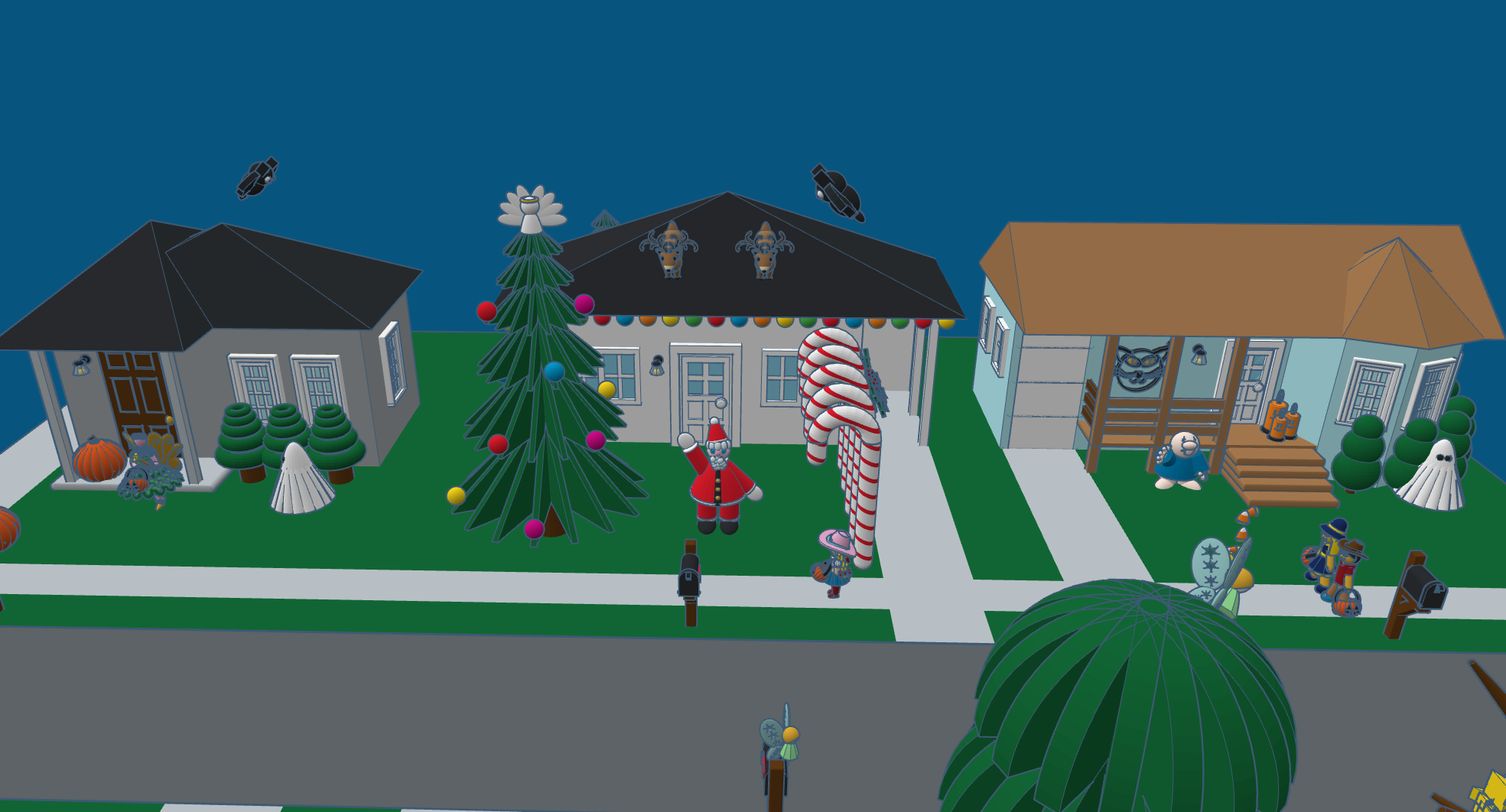
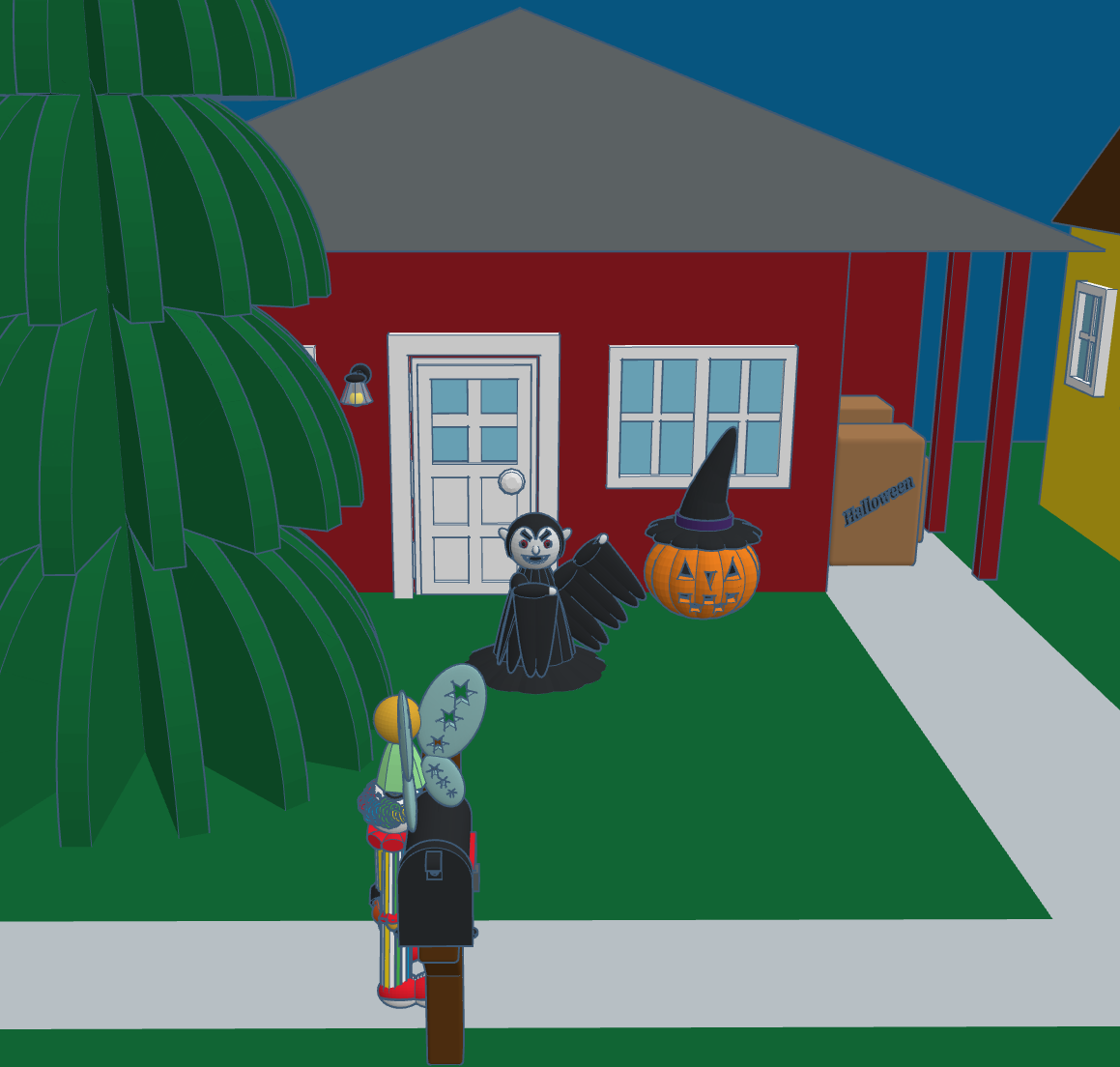
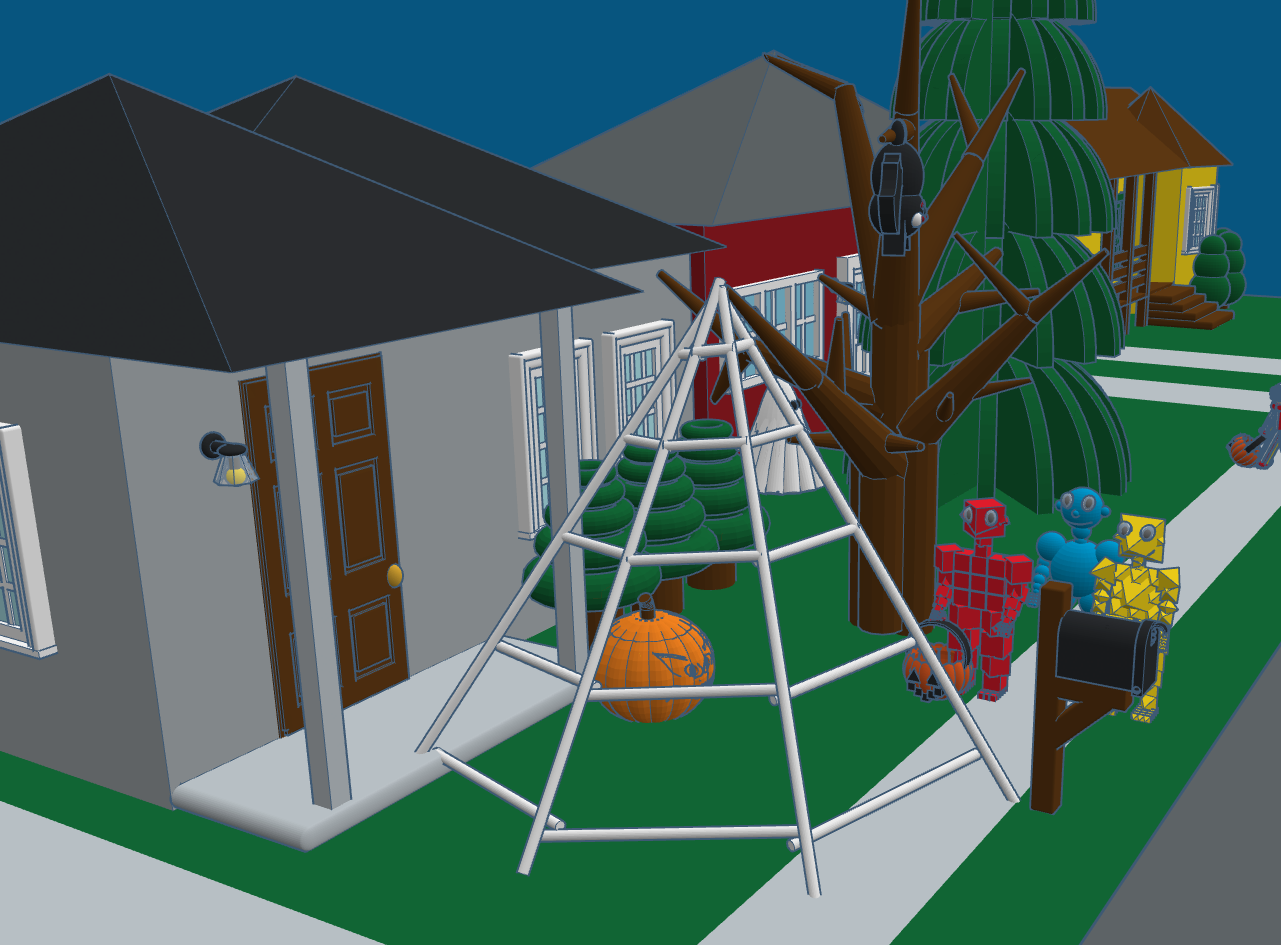
Day 31: Trick or Treat – There is always at least one house on the block that is different than all the other houses. On this block, were they just excited that Christmas was less than 60 days away, or did they leave decorations up all year long? This scene shows many of the designs that I created during #tinktober and other designs created over the past years.
Day 30: Halloween Candles – One of the recently announced features in Codeblocks was the control of size, position, and scaling. The candles design uses the position code to keep the wick on top of the candles no matter the height of the candle. Read about Size, Position, and Scaling in the Tinkercad blog.
Day 29: Fairies – The Fairy design uses some of the same features available in Tinkercad Codeblock that I used in other designs. However, this fairy’s outfit and wings changes colors every time the design is run. This was accomplished by creating variables for the colors and using the random function to change the colors. The fairy also flutters around the screen and changes orientation.
Fairy
Day 28: Broomstick – The broomstick is not fancy. Being able to adjust the pivot point of the rotation, I was able to create the bristles on the broomstick with very little coding.
Broomstick
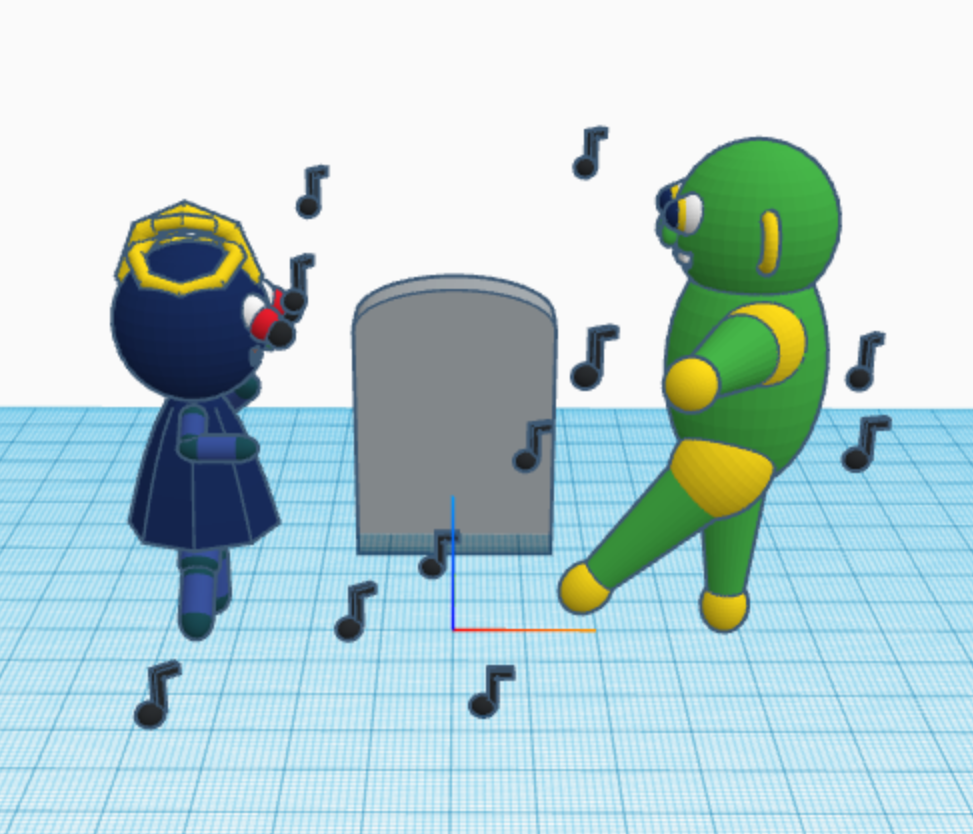
Day 27: Monster Mash – I wonder how many people actually know that Monster Mash was as actually song released in 1962 by Bobby “Boris” Pickett. This is the design I created to represent Monster Mash, because it was a graveyard smash. With Codeblock, each time you run the program the music notes will appear in a different location.
Day 26: Vampire: I am most proud of the hair on the Vampire design. For the head, I kept the default sphere radius of 10. I made the hair’s sphere radius one point large, 11. Then I created four spheres and made them holes; one center, one oblong to the left, one oblong to the right, and the last one center toward the bottom. See below for the code.
Day 25: Magic – The hat, the wand, and the stars were created by defining a template for each. The rabbit was created using three templates: one for the head, one for the body, and another for the ears. The entire design was put together in a template I named tempRabbit. If you watch the video, you will notice that once the wand touches the side of the hat, the stars appear than the rabbit.
Magic
Day 24: Spooky Pumpkin Head Witch – uses the new template feature of Codeblocks to create the hat and the pumpkin. It also use of the rotation function.
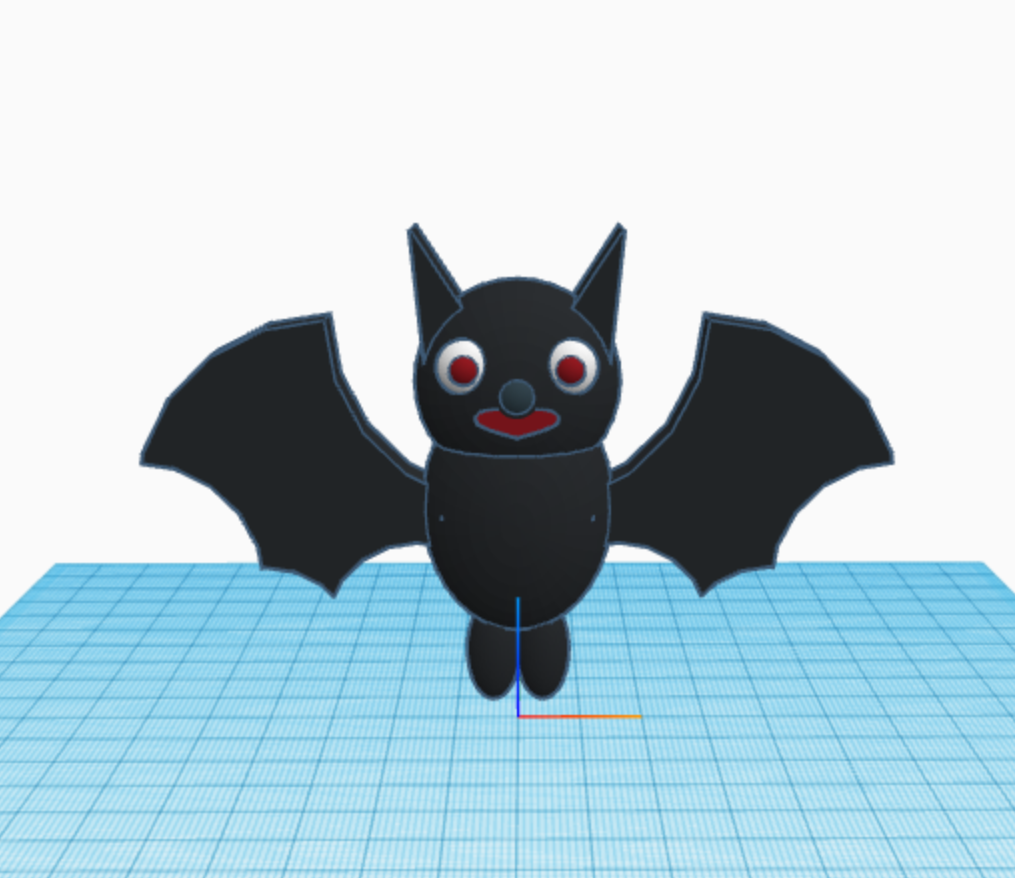
Day 23: Bats – I used the new feature in Codeblocks named Templates. The bat consisted of two templates: the wings and the body. Check out Tinkercad’s blog for information on Templates.
Day 22: Fall Leaves – Watch the leaves fall. This was made with Tinkercad and animated using the sim lab feature. Different leaves have different material weights. I was hoping the various leaves would respond differently.
Fall Leaves
Day 21: Ghost – is a simple design which uses the “Count with…” and the rotation functions.
To fully enjoy these designs, they are best viewed in Tinkercad. I encourage everyone to copy the designs and edit them. Sometimes the best way to learn it to see how it was built; take it apart, put it back together, and improve the design by making changes.
If you do not have a Tinkercad account, they are free. Just sign up.

































 Sarah Cath's Adventures