Autoplay Videos – Argh

I can read faster than I can watch a video.  There are numerous sites where the video automatically start playing – first the ad then the video.  I can read usually read an article in the 20 to 30 seconds duration of the advertisement.  However, if I try to read the article, the video seems to act like a little child saying “No, no watch me! Watch me!”

I have learned how to disable the auto play of videos.

Microsoft Edge:

  • Launch Microsoft Edge
  • Click the three dots in top right corner or press Alt+X
  • Click Settings
  • Click Advanced
  • Under Media autoplay select your preference from the drop down box.
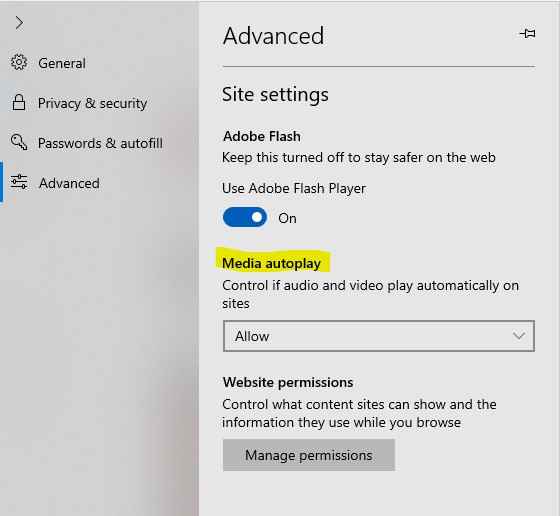
Annotation 2019-02-09 080715

  • If you select Block, it will warn you “Some sites might not work as expected.”  This will prevent the videos from autoplaying.  You will need to click the video to play it.

Annotation 2019-02-09 080828

Chrome:

The Chrome browser settings did not have an option to turn off autoplay.  It is done on their “flags” page.

  • Launch Google Chrome
  • In the address bar type: chrome://flags/#autoplay-policy and press Enter.

Annotation 2019-02-09 080428

  • The flags screen will be displayed with Autoplay policy at the top of the screen.
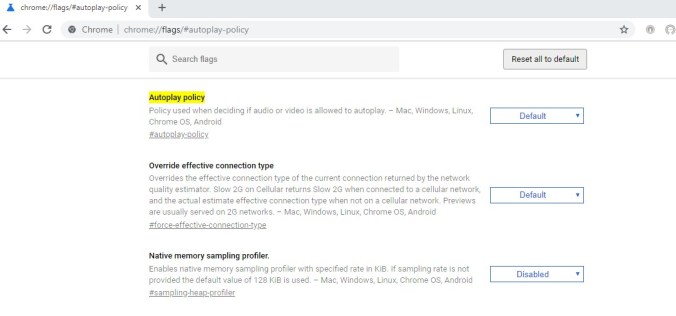
Annotation 2019-02-09 080502

  • Under the dropdown list, select your preference.  To stop autoplay, select “Document User Activation is Required”.  The video on a website will not play unless it is clicked.

Annotation 2019-02-09 080359

  • Click “RELAUNCH NOW”

What I did not test was, if I was logged onto my Google or Microsoft account, if changing these settings would propagate across all devices.

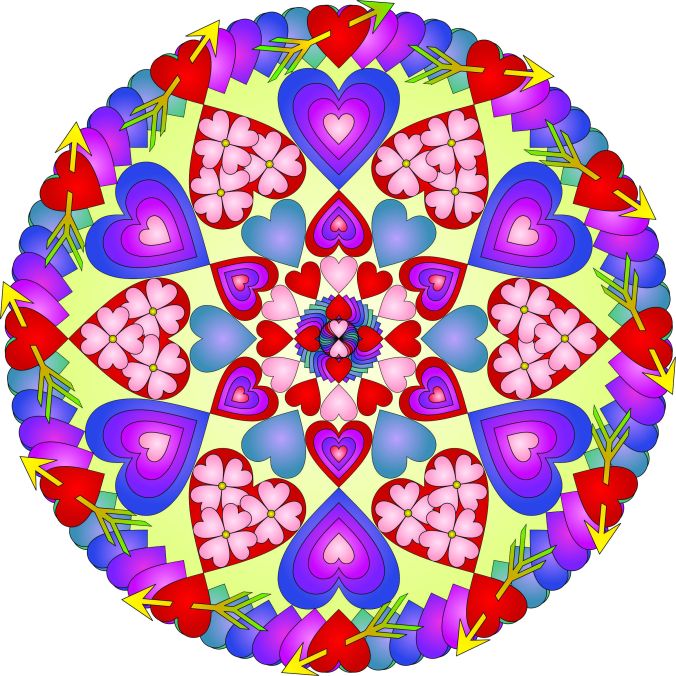
 

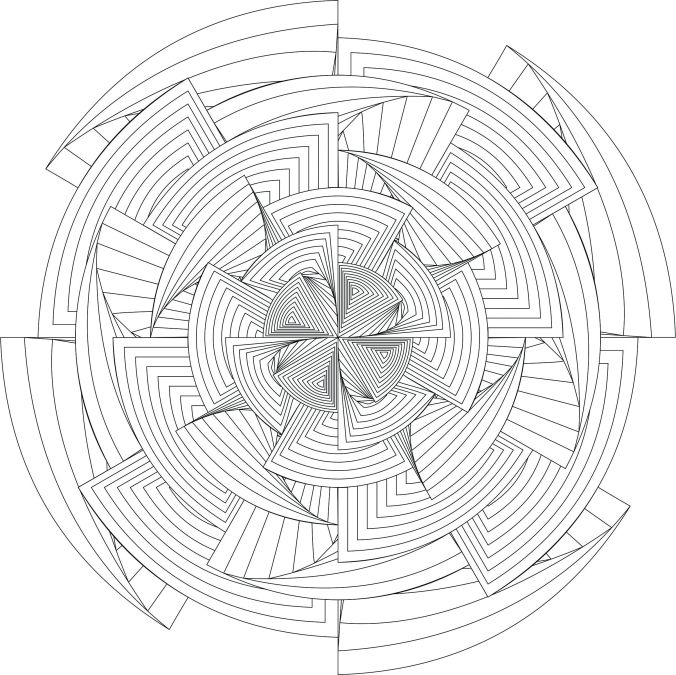
Hearts Mandala

I created the mandala below for the month of February.  What happens is February, beside National Pizza Day, Ferris Wheel Day, Chinese New Year (wait, I could have easy created a mandala for these days)?  It is the month that Valentine’s Day is observed.

A PDF of this mandala is available on my coloring page, for anyone to download.

Hearts All Over

It was created and colored in CorelDraw.

Hearts All Over Color

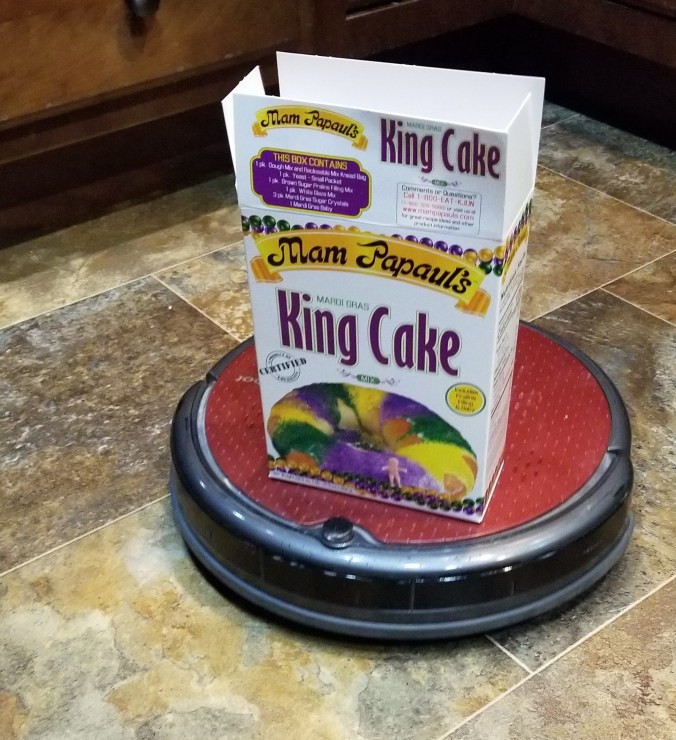
Sarah’s Roomba

In 2011, I created a Facebook page for my Roomba.  My Roomba has many adventures, most about getting trap under furniture and shut inside rooms.  The page had many post for a few years, but alas things happens;  Roomba gets put in a box, taken out, and ignored.

A few weeks ago, I cleaned my Roomba’s brushes and changed its batteries.  Now the daily adventures with the Roomba continues.  Most of the adventure involve blocking it’s access or getting it unstuck.  Still, you have to enjoy the moments, even if it is with a small robot.
20190129_153349.jpg

King Cake Addict

Here is the link to follow the Roomba’s Adventure:  Sarah’s Roomba Page

Now, I just need to work on the robot that daily goes from room to room cleaning the toilets.

Experiment: Epson Fine Art Paper

As soon as I felt the Epson Fine Art Paper, I wondered if I could use it for some of my coloring page.  Over the last week, I have experimented with the paper.

This is the drawing I decided to use for the experiment.  It was designed using CorelDraw.

geo flower twirl

It is also one of the first of my coloring pages I printed.  It was printed using my Epson printer, on Epson Fine Art paper, with the thick-paper setting turned on.  It printed nicely, but I did notice the lines in the middle were very close together.

I thought my first attempt to color it would be with color pencils; instead, I used watercolor pencils, with a water brush, and a light touch.  The black line appeared to bleed a little, but I kind of liked that effect.  The more color I added to the paper, the less the black lines appeared to bleed.  The paper did really well with the water, there was minimum wrapping of the paper.  Below is the results:

20190120_163242

My testing of the color pencils did not go well.  The color went on the paper like I expected, nice blending was accomplished.  However, when you apply multiple layers of color with the pencil, wax bloom happens.   Little specks from the color pencils gets all over the drawing.  One method to get rid these little specks, is to use a kneed eraser.

The Fine Art paper, absorbed the gray color from the kneed eraser.  It also absorbed the pink from the pink eraser and any color left from previous erasing off of a white eraser.  There are two ways I can see to get rid of these little specks for future projects when using this paper:  first, to clean the white eraser every time before touching it to this paper; or use can air to blow the specks off the paper.  I am will probably go with the can of air.

Since I created the drawing in CorelDraw, I had to color it in CorelDraw.  When I saved it out as a JPEG file, I though the background provided additional shine to the colors.  Below is the piece of art.

geo flower twirl color

It you would like to color this design, I have posted a PDF of it on my coloring page.

Flowers on Bamboo

Below is a drawing I did by hand with Derwent Inktense Pencils and Watercolor pencils on 9″ x 12″ watercolor paper.

20190114_132234.jpg

After I finished the drawing, I thought it would be a fun page to color. So, I recreated the drawing in CoralDraw.  This version was created for letter size paper, therefore the flowers are spaces .75″ apart, instead of the 1″ spacing used on the hand drawing.

flower on bamboo color

I created a black and white version that is available for download on my Coloring Page.

flower on bamboo

Rescued Houses – Part Four

Another three house painted from my Rescued Houses series.  Why are they called “Rescued Houses.”  In August 2016, South Louisiana had what some believed to be a 1000 year flood.  The storage unit which held these houses flooded.  These plaster houses were in water for over week.  There is minor damage to all the houses, but that may add to their charm.

The entire story is in Part One.

Notice the Railroad Crossing sign.  It is not original to the house.  The original sign is  currently missing, which means it could be in another box.  Therefore, I created the sign in Tinkercad, printed with my 3D printer, and painted the sign.   I only had to print one sign, because I got the measurements right on the first design.

DSCN8613

Railroad Depot

DSCN8617

Music Store

DSCN8626

Jewelry Store

The Bead Tree

This tree at the Hasting Museum, which they hid down in the “basement” had the most interesting ornaments of any of the other trees.  The ornaments were either decorated or made from beads.

DSCN8581

I do not need another craft, especially one that requires handling tiny beads and thin wires.  The Midwest Beaders should be proud of their beautiful work.

The Carpenters Tree

I do not know the official name of this tree at the Stuhr Museum, but I am calling it the Carpenters Tree.  It gets a special mention because of the uniqueness of the decorations.

20181221_132031

At first, all you really see is Home Deport cards.  If you look closers, you will see ornaments made from nails and screws.


Also, on the tree is wood panels each paint with a different design.